
From HTML to Eleventy
I have reworked this website for the 3rd time, this time using 11ty as the static site generator.
Unlike the previous two attempts 11ty has a good focus on extensibility which I'll cover towards the end, here's a brief tour of the websites history:
-
2010 - Original server deployment

The first setup was basically just for sharing files, because back then that was the only realistic way of moving things around other than file sharing websites.
-
2012 - First splash page
-
2014 - First blog post
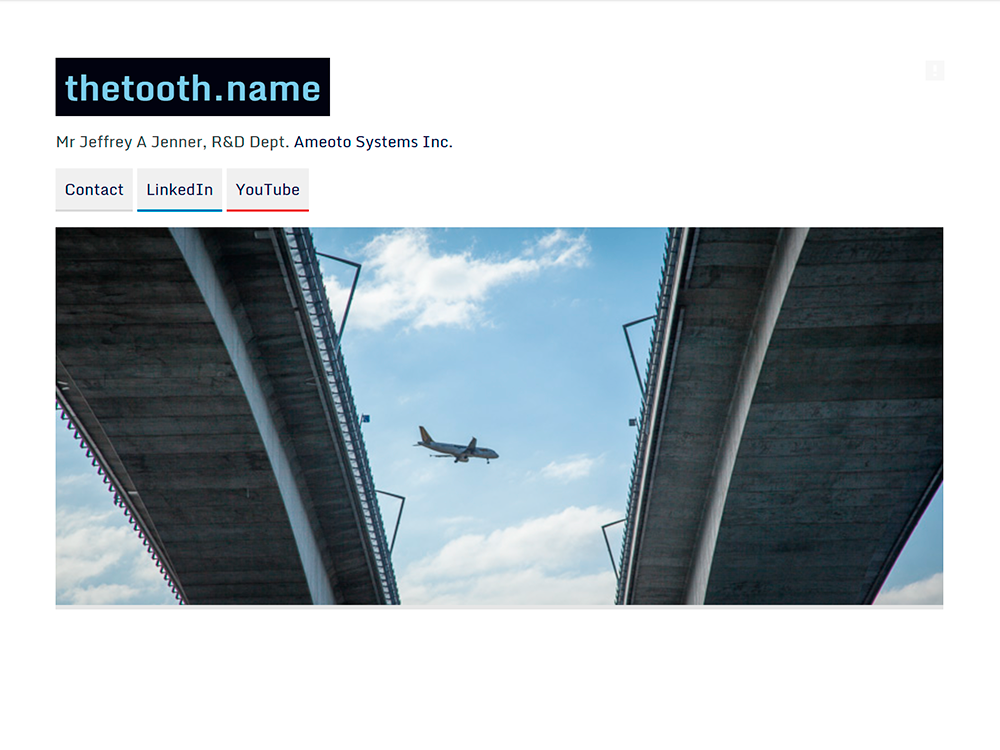
Originally the website was written by hand and wasn't that nice to work on, it did however have a really big advantage in that I knew exactly how everything worked, so it was never too hard to update.
-
2022 - Switch to Pelican
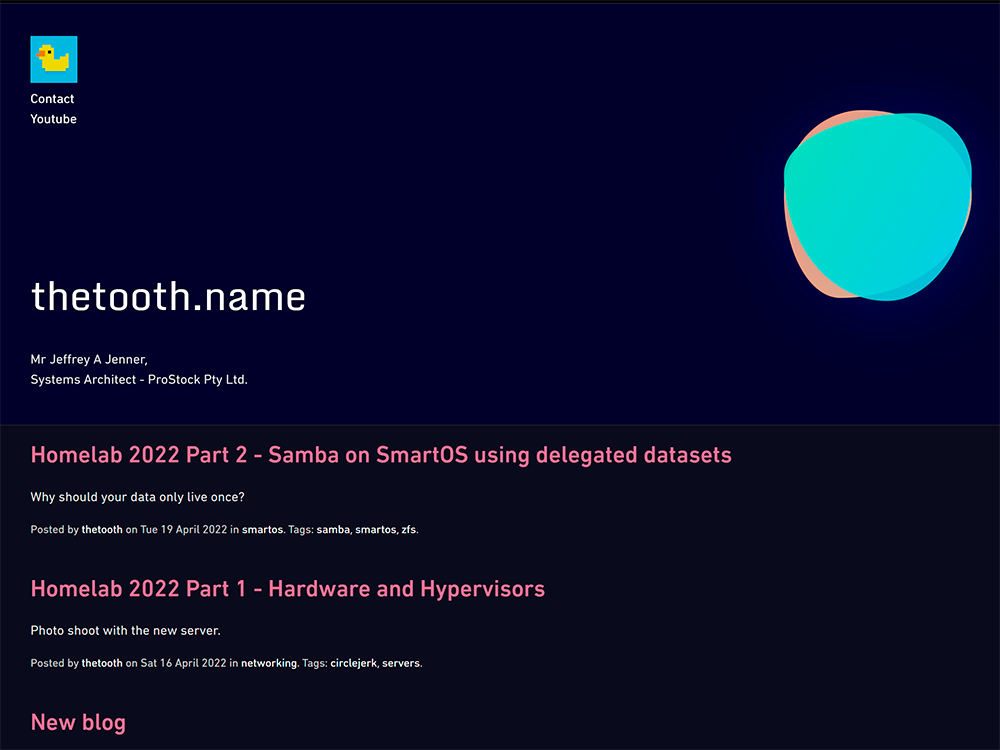
Fast forward to 2022 and I decided to try something different. Using Pelican+m.css I converted all of the old content over to reStructuredText, which was great because rst is by far the best markup language around, unlike markdown or HTML it uses the same indent controlled structure as Python. This was 99% the reason to go with Pelican since it made the actual writing so much easier.
Unfortunately it wasn't perfect, both Pelican and m.css have a huge number of features and a rigid structure, I was never able to fully realize the layout/look because of how bloaty the templating system is.
-
2026 - Switch to 11ty
Now running on 11ty I used Copilot to translate the rst files into markdown, it's definitely a downgrade (in terms of syntax), BUT it's nothing drastic and 11ty has been very easy to work with and not gotten in the way. It should also be easier to start on any given post since I use md often on other platforms.
Plus the original light theme is back with a few improvements. ≽^• ˕ • ྀི≼
Cool things that Eleventy does differently
First of all, the barrier to entry is LOW, all you need is pnpm install @11ty/eleventy and right away it will start processing any file you place in this directory.
That's the second thing it does right, content is driven by structure, not by an arbitrary set of predefined places where templates and assets must be.
You also have the capability of building data driven content, for example the directory these blog posts are made in contains the following blog.11tydata.js file:
module.exports = {
    tags: ["blog"],
    layout: "layouts/post.liquid",
    permalink: function ({ title }) {
        return `/blog/${this.slugify(title)}/index.html`;
    },
    eleventyComputed: {
        eleventyExcludeFromCollections: (data) => {
            return data.utils.showDraft(data) ? data.eleventyExcludeFromCollections : true;
        },
        permalink: (data) => {
            return data.utils.showDraft(data) ? data.permalink : false;
        }
    }
};
This is automatically applied to each file and adds them to the "blog" collection by way of setting tags.
Visibility is controlled with the showDraft method, this isn't part of 11ty out of the box, it's just something you can implement according to your needs:
module.exports = {
    showDraft: (data) => {
        const todaysDate = new Date();
        const isDraft = 'draft' in data && data.draft !== false;
        const isFutureDate = data.page.date > todaysDate;
        return process.env.ELEVENTY_ENV === "dev" || (!isDraft && !isFutureDate);
    }
};
You'll also notice that data can cascade in an obvious way, lets say I manually set permalink in a md file in this folder, you can see that it will propagate upwards and override the default we have set in the data file.
All of this allows for great flexibility without having to know much, if anything, about the inner workings of 11ty itself.
Useful Plugins
Since 11ty is quite basic out of the box, there are some plugins that can be helpful if you're coming from a more featured platform.
Image
Uses sharp to process images, you can either switch it on globally to have optimized versions of all content generated, or you can use the library directly to get metadata and process them as you see fit.
Below is a gallery shortcode I implemented which creates a grid of thumbnails from a list of files. It outputs flex boxes with the image aspect ratio calculated ahead of time such that any number of different images are aligned horizontally without having to crop the content.
import sharp from 'sharp';
import Image from '@11ty/eleventy-img';

const GALLERY_IMAGE_WIDTH = 1024;

async function getGalleryImageData(src) {
    const metadata = await sharp(src).metadata();

    const options = {
        formats: ['jpg'],
        widths: [GALLERY_IMAGE_WIDTH],
        urlPath: "/images/thumbs/",
        outputDir: './_site/images/thumbs/'
    };

    const genMetadata = await Image(src, options);
    return {
        src,
        ar: parseFloat((metadata.width / metadata.height).toFixed(4)),
        thumbUrl: genMetadata.jpeg[0].url
    };
}

function parseGallerySources(content, extraSources = []) {
    const parsed = [];

    for (const line of content.split(/\r?\n/)) {
        let value = line.trim();
        if (!value) {
            continue;
        }

        value = value.replace(/^(?:[-*+]\s+|\d+\.\s+)/, "").trim();
        value = value.replace(/,$/, "").trim();

        if ((value.startsWith('"') && value.endsWith('"')) || (value.startsWith("'") && value.endsWith("'"))) {
            value = value.slice(1, -1).trim();
        }

        if (value) {
            parsed.push(value);
        }
    }

    for (const source of extraSources) {
        if (typeof source === 'string' && source.trim().length > 0) {
            parsed.push(source.trim());
        }
    }

    return parsed;
}

export async function galleryShortcode(content, name, columns = 4, ...images) {
    const rowSize = Number(columns) || 4;
    const sources = parseGallerySources(content, images);
    const items = await Promise.all(sources.map((src) => getGalleryImageData(src)));

    let rows = '';
    for (let i = 0; i < items.length; i += rowSize) {
        const row = items.slice(i, i + rowSize);
        const rowHtml = row.map(({ src, ar, thumbUrl }) => {
            return `<a href="/${src}" data-ar="${ar}" style="--gallery-ar:${ar}">` +
                `<img src="${thumbUrl}" alt="" eleventy:ignore>` +
                `</a>`;
        }).join('');
        rows += `<div class="gallery-row">${rowHtml}</div>`;
    }

    return `<div><div class="gallery" id="gallery-${name}">${rows}</div></div>`;
}
Navigation
This plugin adds hierarchical navigation to 11ty, since collections are flat, there is no way to group articles by their hierarchy automatically. Using Navigation you set a key and parent and a map is built. Of course this is still a manual process so instead we can automate this with data.
Below is how the article directory is configured, key is derived from the title and only the parent is defined in the article itself.
module.exports = {
    tags: ["article"],
    layout: "layouts/article.liquid",
    permalink: function ({ title }) {
        return `/articles/${this.slugify(title)}/index.html`;
    },
    eleventyComputed: {
        eleventyNavigation: (data) => {
            if (!data.utils.showDraft(data)) return undefined;

            return {
                key: data.title,
                ...(data.parent ? { parent: data.parent } : {})
            };
        },

        eleventyExcludeFromCollections: (data) => {
            return data.utils.showDraft(data) ? data.eleventyExcludeFromCollections : true;
        },

        permalink: (data) => {
            return data.utils.showDraft(data) ? data.permalink : false;
        }
    }
};
Of course to use this map there are built in methods to filter and create lists, or you can iterate over the data manually and build any kind of presentation layer you wish.
---
title: Cool Stuff
parent: Articles
---

Various cool things...

If you find this site useful consider posting in the [Guestbook](/guestbook) (⁄ ⁄•⁄ω⁄•⁄ ⁄)

## Stuff
{{ collections.sortByTitle | eleventyNavigation: "Cool Stuff" | eleventyNavigationToHtml }}

## People

- [ANDROID ARTS](https://androidarts.com/)
- [HamNB](https://hamnb.neocities.org/)
- [Henry Prêcheur](https://henry.precheur.org/)
- [Neil Panchal](https://neil.computer/)
- [visualculture](https://visualculture.vc/)

<p><img src="/images/wave.gif" style="margin-left:0;image-rendering: pixelated;" width="88"></p>
Conclusion
Time will tell if this is the right choice, it seems to be a very stable platform and is very easy to work with. Hopefully this is helpful if you're considering reworking your site soon.